Line9 in chat apps (MCP)
What it does
Connect Line9 to your chat app, then ask for a diagram. The diagram appears in the conversation, laid out by Line9:
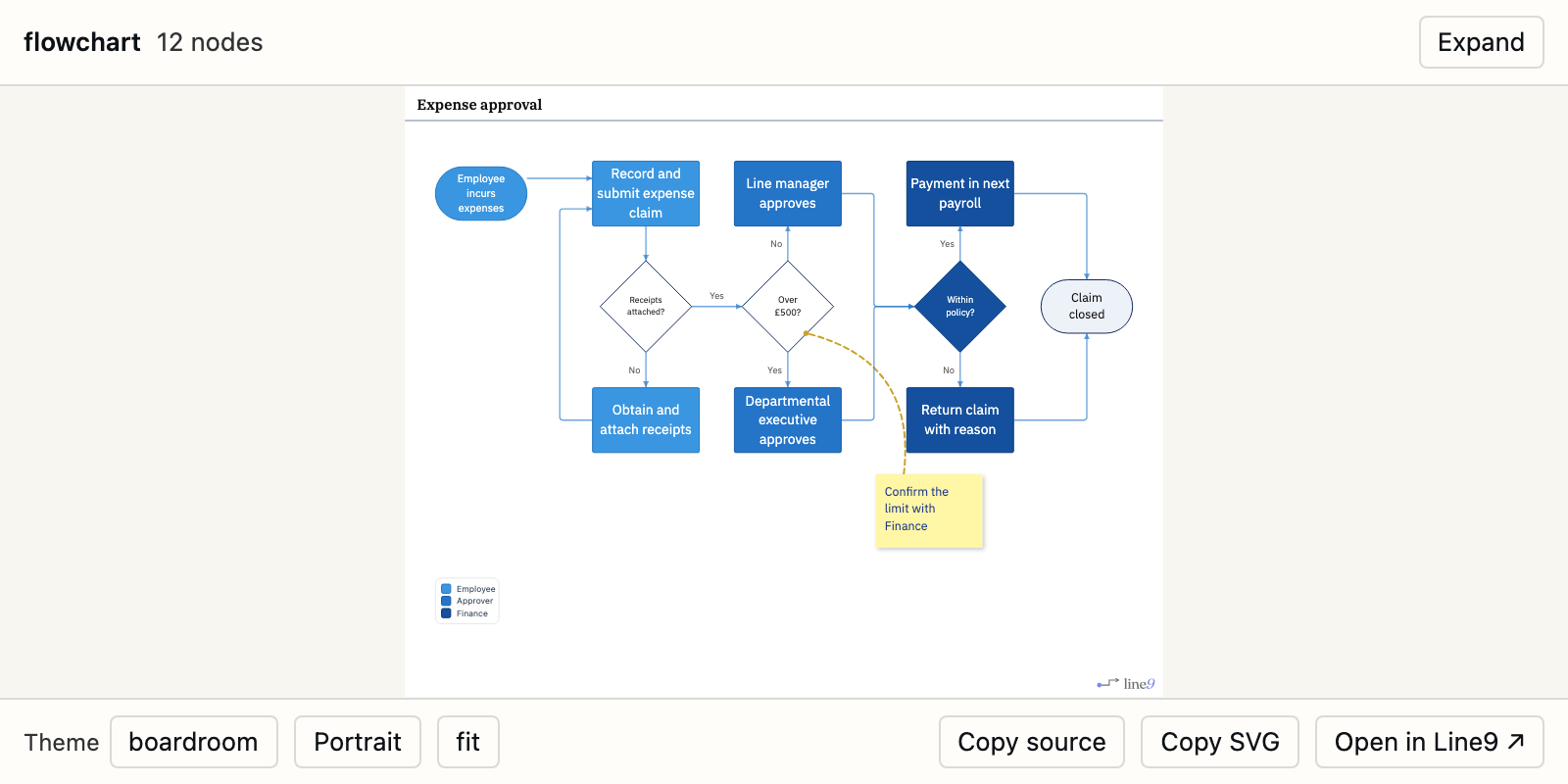
Below the diagram, you can change the theme or which way it runs, copy its text or an SVG, and open it in Line9. Expand shows it full screen.
Some apps, mostly coding tools, show a short description and an Open in Line9 link instead of the diagram.
Line9 connects to chat apps through MCP, a standard way for apps to add tools. You don’t need to know anything about it to use Line9.
Connect your chat app
Every app uses the same address:
https://mcp.line9.ai/mcpOn a work account, your admin may need to allow Line9 first.
Claude
- In Claude, open Settings ▸ Connectors.
- Click Add custom connector.
- Name it
Line9, enter the address and click Add.
ChatGPT
- In ChatGPT, open Settings ▸ Apps & Connectors ▸ Advanced and turn on Developer mode.
- Add a connector named
Line9with the address. Line9 doesn’t need a client secret.
Other chat apps
Any app that can connect to a remote MCP server can use the address. If the app asks for a settings file, use this:
{
	"mcpServers": {
		"line9": {
			"url": "https://mcp.line9.ai/mcp"
		}
	}
}
Ask for a diagram
Start your request with “Using Line9”. Without it, the app may draw the diagram itself.
- Using Line9, draw a flowchart of how an expense claim is approved.
- Using Line9, turn these meeting notes into a process diagram.
- Using Line9, draw a sequence diagram of how a customer order reaches the warehouse.
Line9 lays out flowcharts and sequence diagrams. Other kinds, such as pie charts and Gantt charts, are drawn by Mermaid and marked Rendered by Mermaid. So is a flowchart of more than 100 nodes: ask for a simpler diagram, or for several smaller ones.
Take it further in Line9
Click Open in Line9 to open the diagram on the diagram page. There you can change it, style it, share it and export it, like any other diagram. See Get started with Line9.
Diagrams drawn in a chat include a Line9 watermark, unless you’ve signed in to Line9 Pro from the chat app (see below).
Your published diagrams
With Line9 Pro, your chat app can list and open your team’s published diagrams. For example:
- Show me my Line9 diagrams.
- Open the expense approval diagram from Line9.
The first time, the app asks you to sign in to Line9. Line9 then asks whether to let the app see your diagrams: click Allow.
The app can’t publish or change your diagrams. To publish one, open it in Line9 and see Publish a diagram.
To stop an app seeing your diagrams, sign in at line9.ai and go to Connected apps.
How your data is handled
Rendered in memory and discarded. Your diagram source is sent to
mcp.line9.aionly when your assistant calls a Line9 tool. It is rendered inside a stateless Cloudflare Worker, returned, and discarded — no diagram content is written to storage and no request bodies are logged. We record anonymous usage counts (which tool, diagram kind, node and edge counts, timing, the name of the assistant) and nothing else. Nothing of your diagram is kept.
Next
- Line9 for coding agents (CLI): use Line9 with Claude Code, Codex and other coding agents.
- Share a link, image or text: send a diagram you’ve opened in Line9.