Mermaid diagram examples & templates
This collection of diagrams offers you a demonstration, a resource and an inspiration for your own work. Each diagram here 1) shows you an illustration of a realistic process described in a flowchart 2) gives you the starting Mermaid template to create your own version and 3) displays how the diagram is presented when rendered by Line9. Use these however you want — directly from our downloadable image, by editing in Line9 and re-publishing, or by taking it to a different Mermaid editor or viewer.
Also presented for each example diagram is the standard output diagram (using the same Mermaid source text) from the stock Mermaid engine. For a written comparison with the default renderer, read Line9 vs mermaid.live.
Identity and access
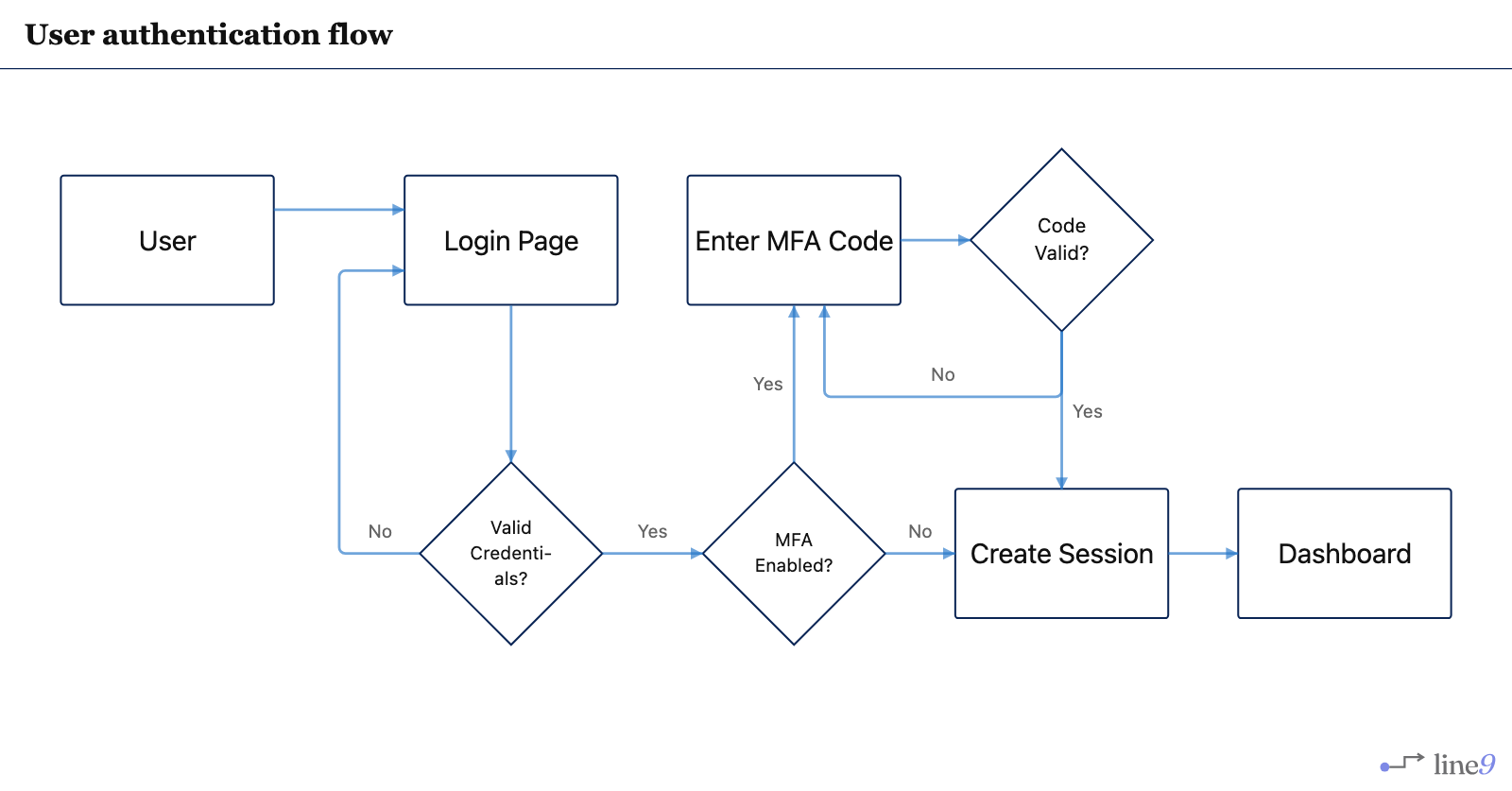
Engineering workflow
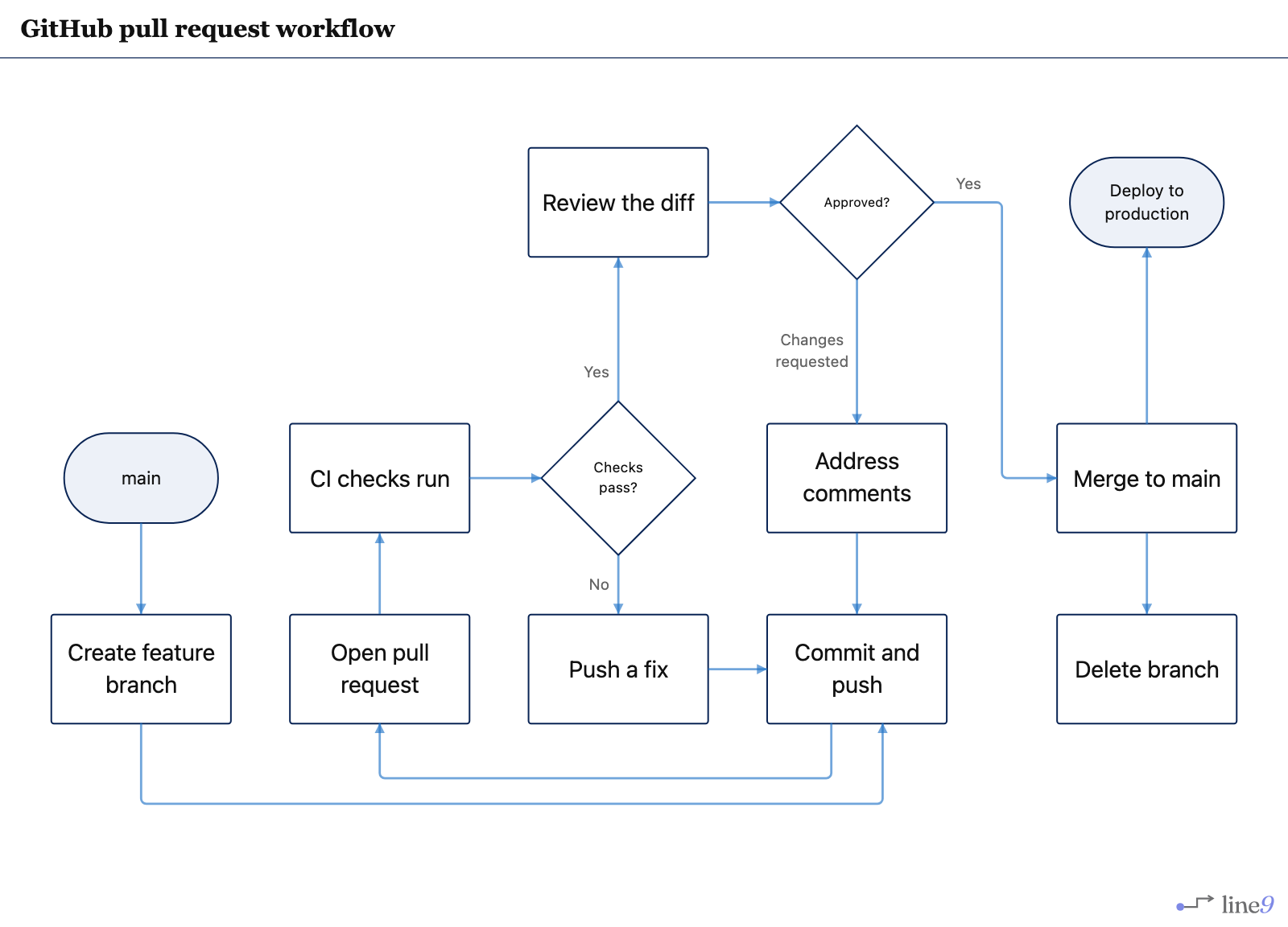 FlowchartPull request workflow
Branch to merge, with the two rework loops that consume most of a pull request’s life.
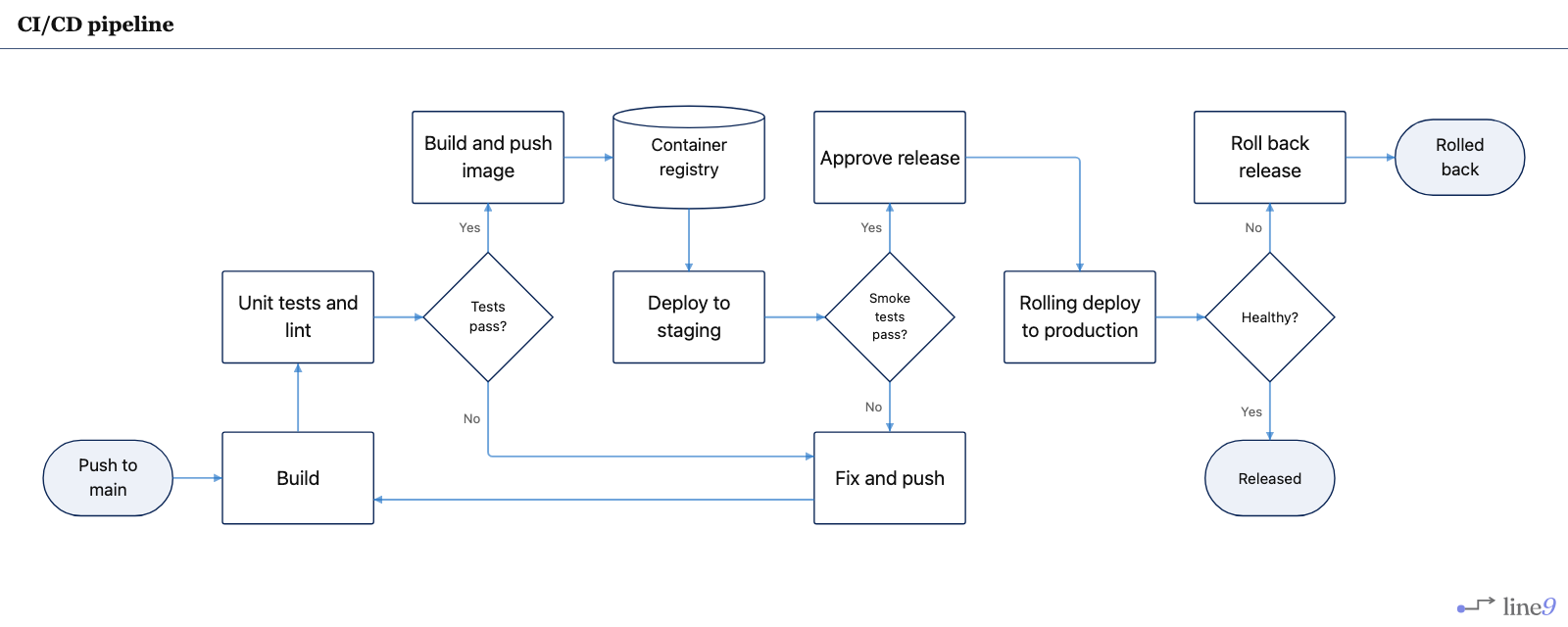 FlowchartCI/CD pipeline
Push to production, including what happens when the rollout comes up unhealthy.
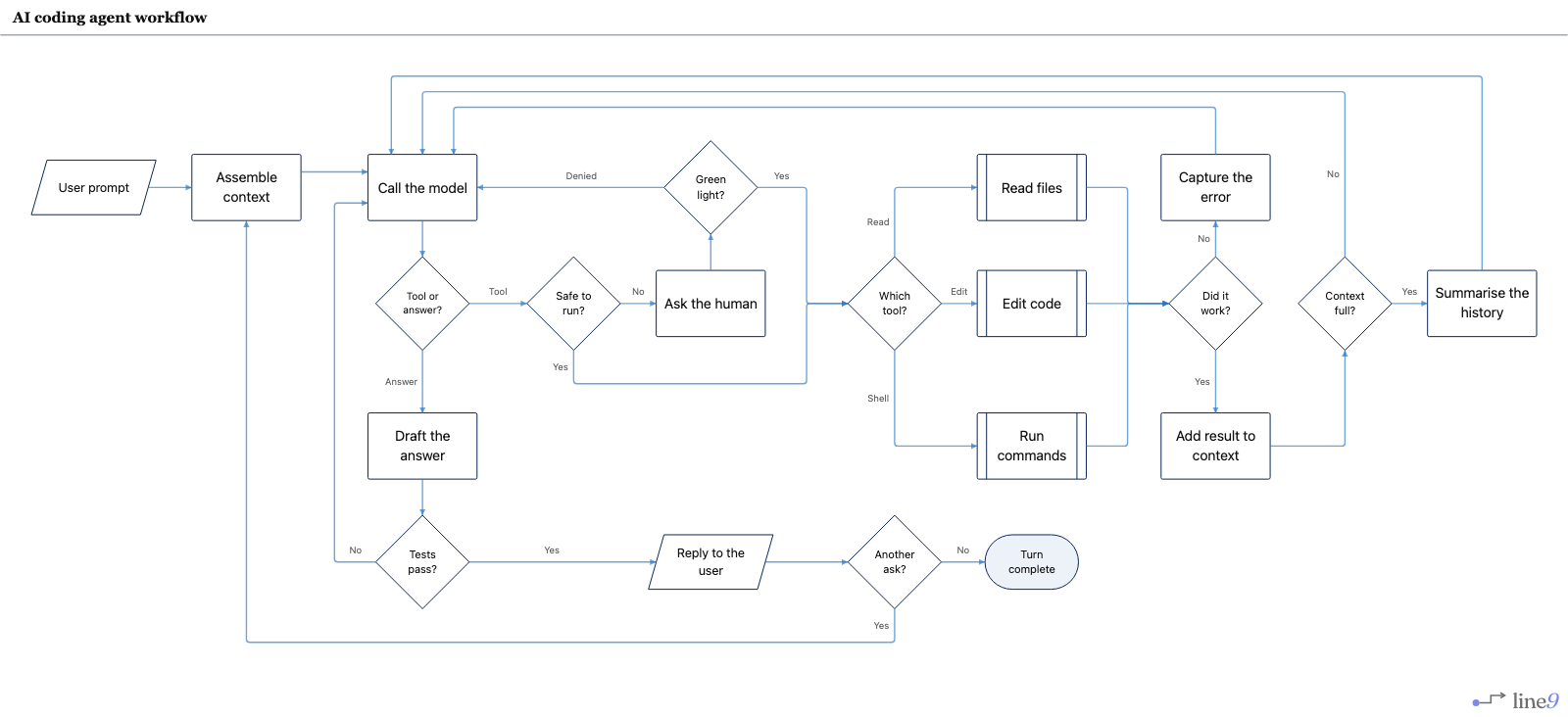 FlowchartAI coding agent
Prompt, tools, tests and the loops that send the model back to work.
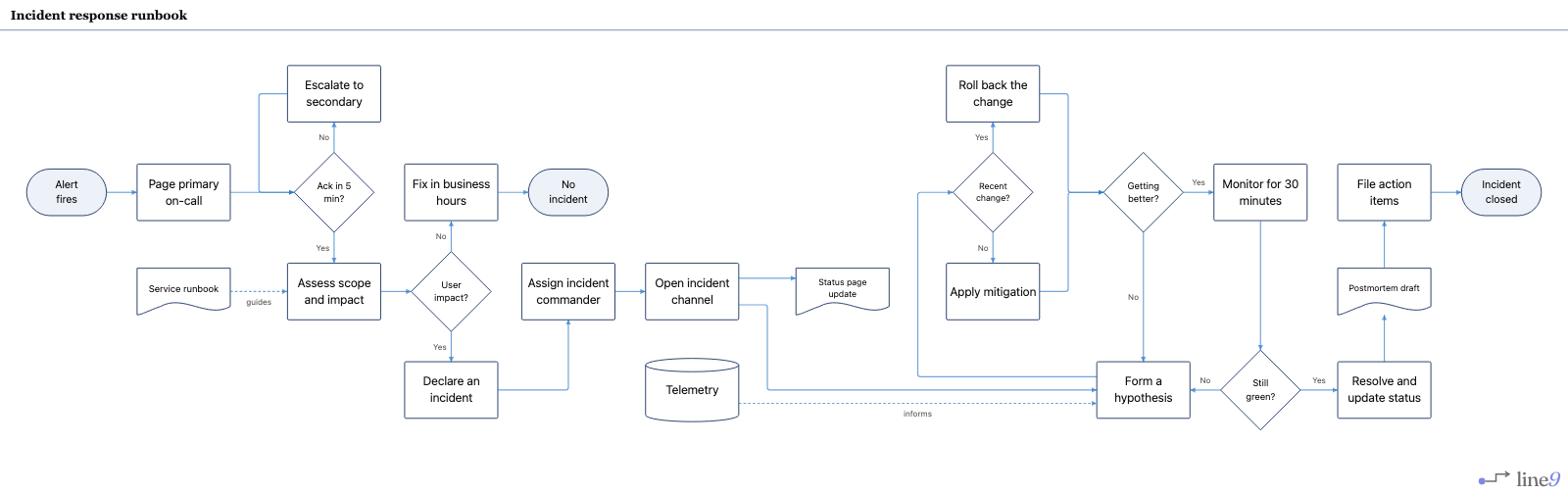 FlowchartIncident response
Page, ack, declare, mitigate or roll back, then write the postmortem.
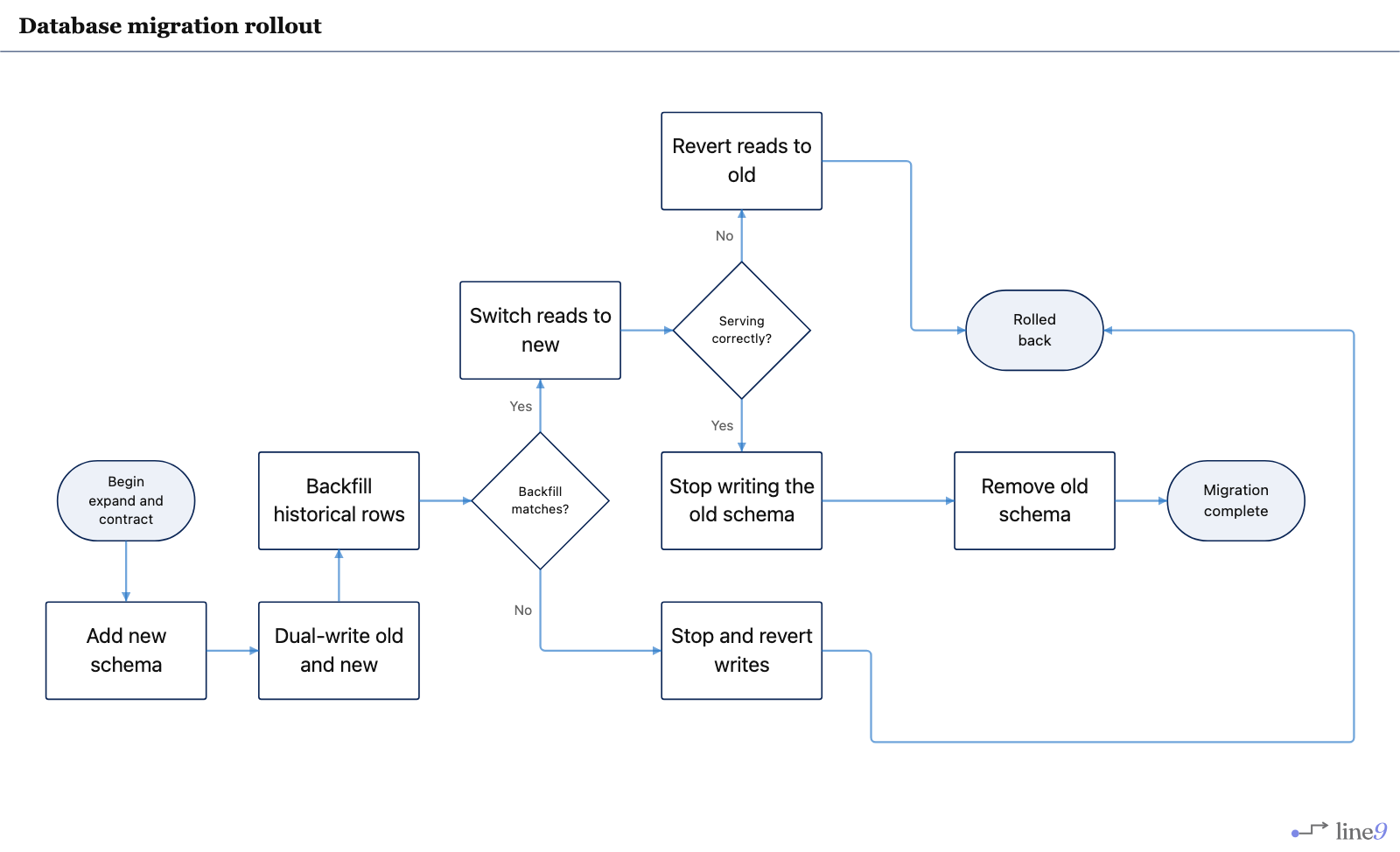 FlowchartDatabase migration
Expand, dual-write, backfill, switch reads, then contract — with two rollback gates.
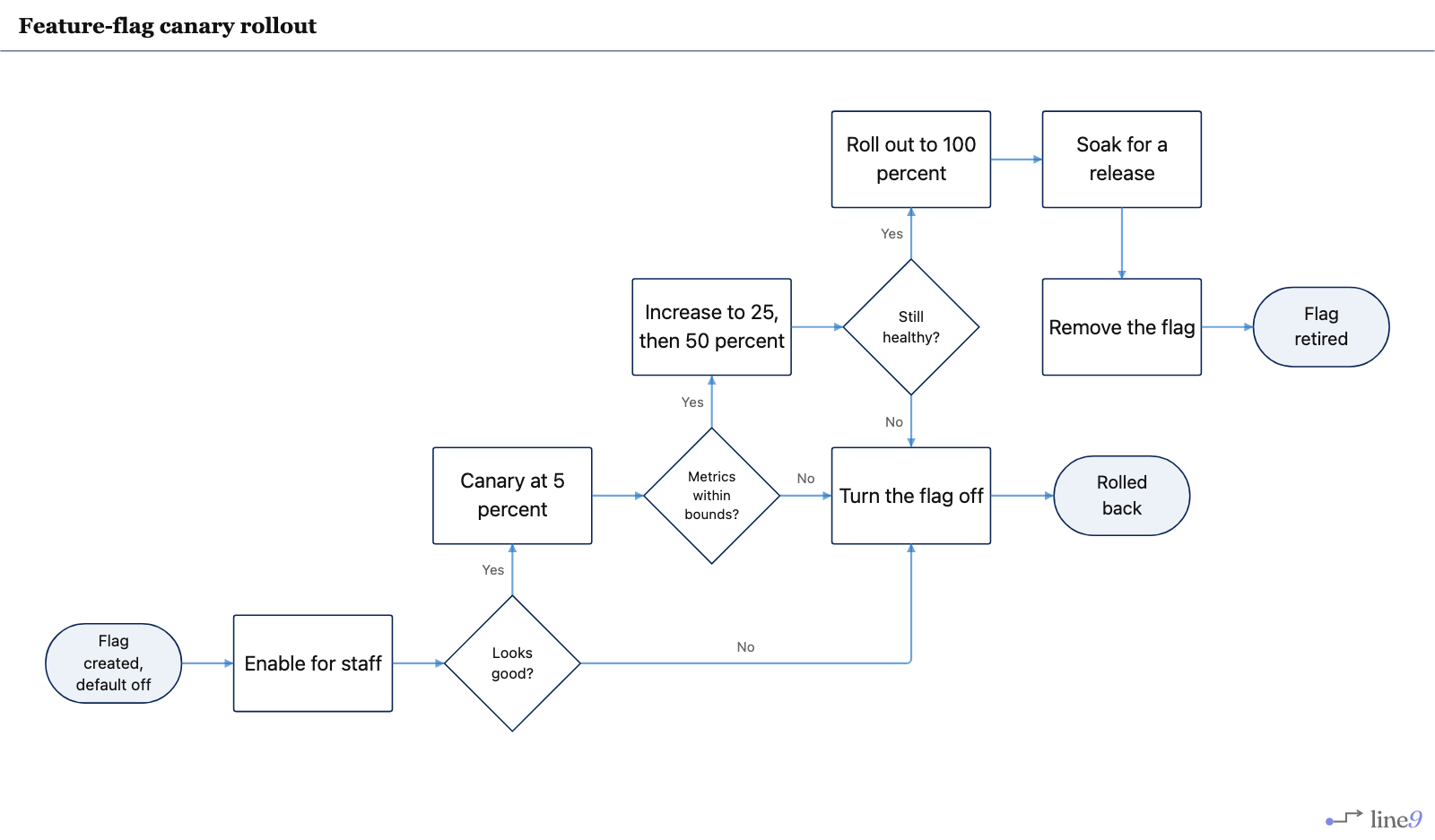 FlowchartFeature-flag canary
Staff, then 5 percent, then ramp — and one switch that turns the flag off.
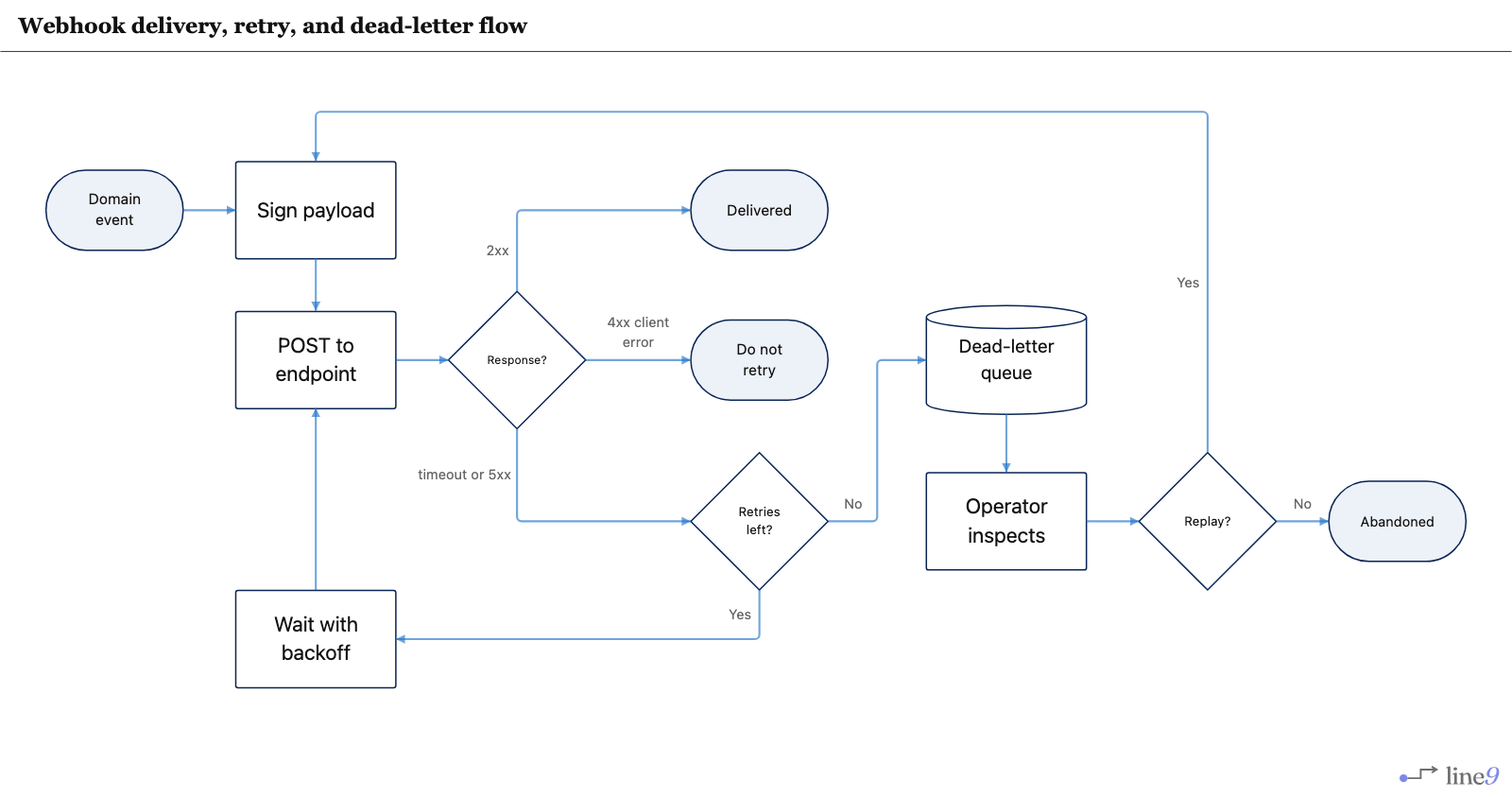 FlowchartWebhook delivery
Sign, POST, retry with backoff, then dead-letter and replay — or stop on 4xx.
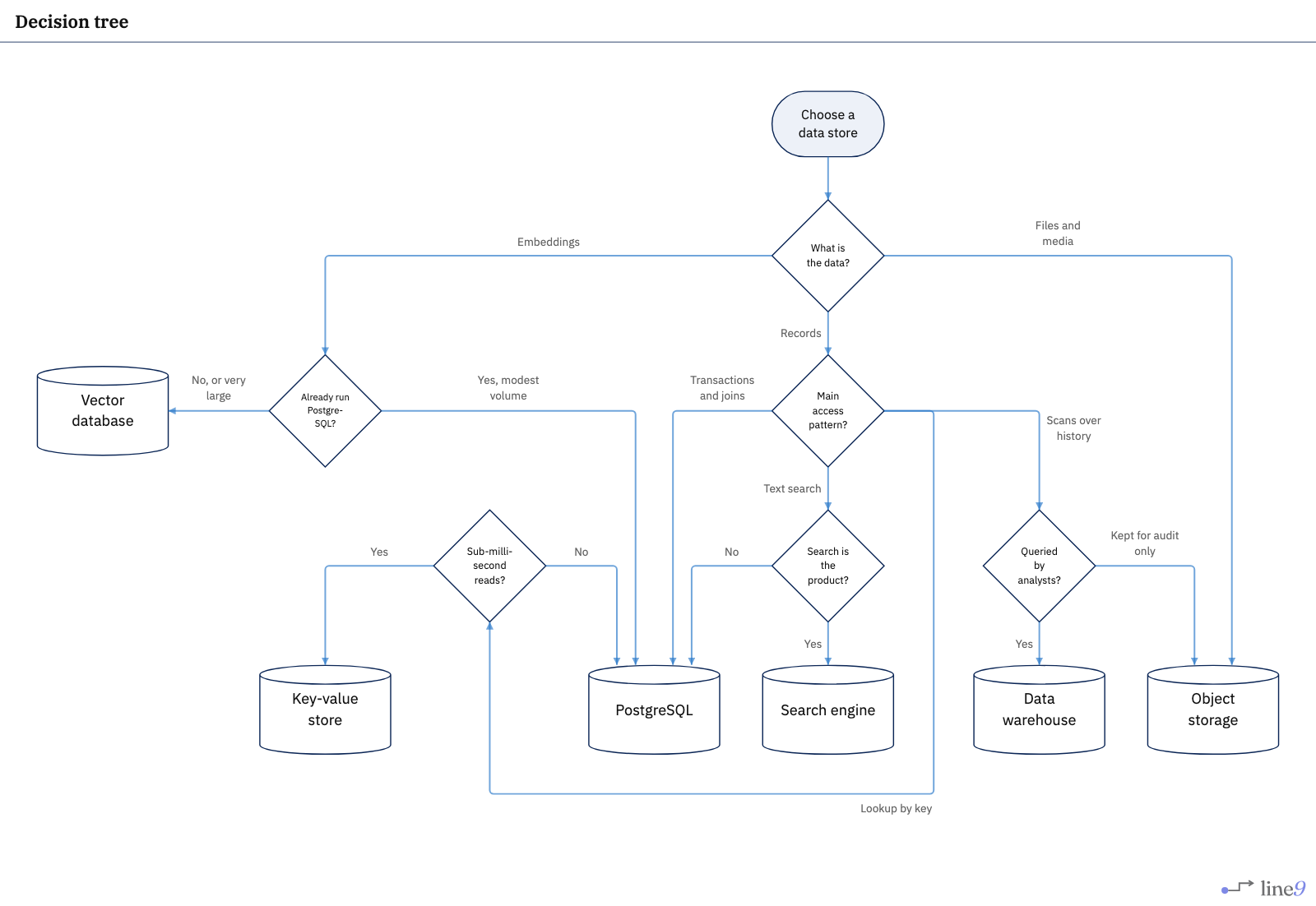 FlowchartDecision tree
Choosing a data store, where several different questions lead to the same answer.
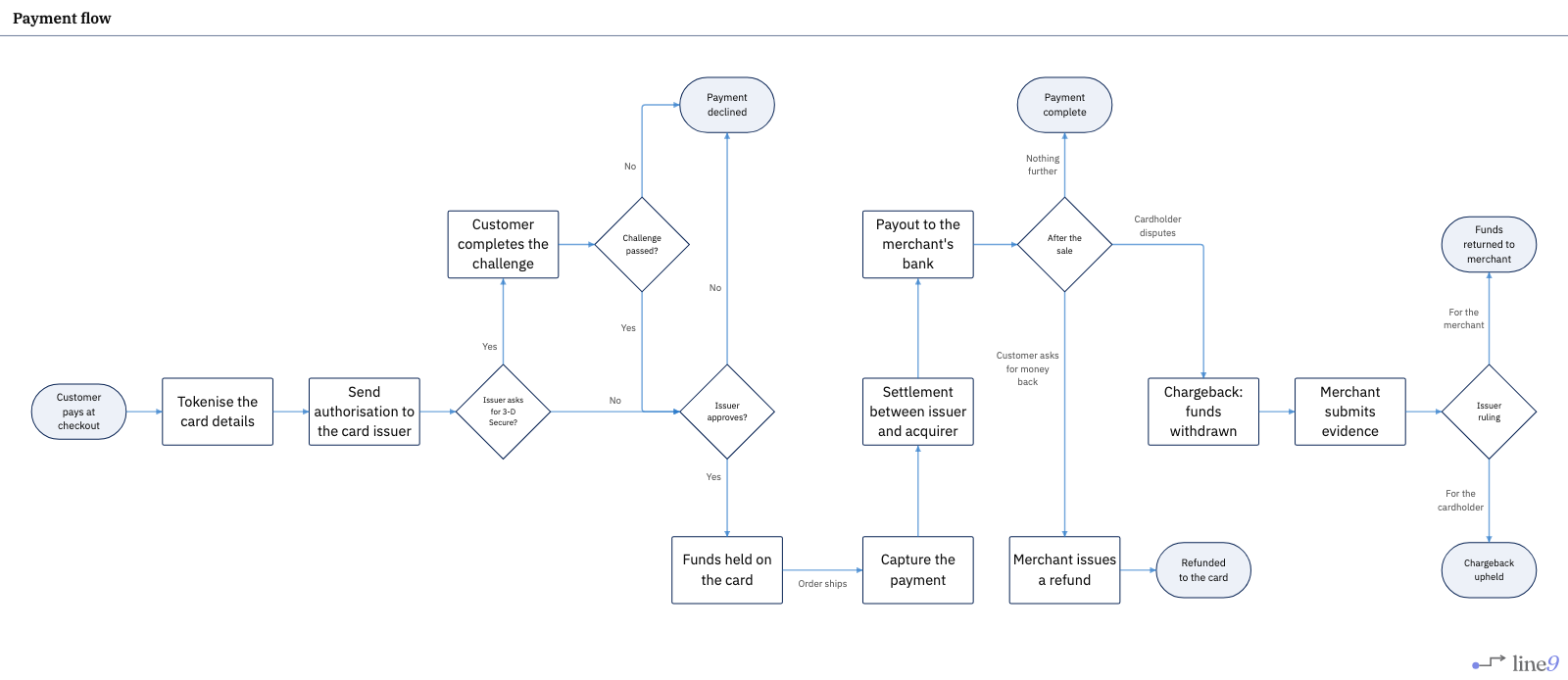 FlowchartPayment flow
A card payment from checkout to payout, including refunds and chargebacks.
Business process
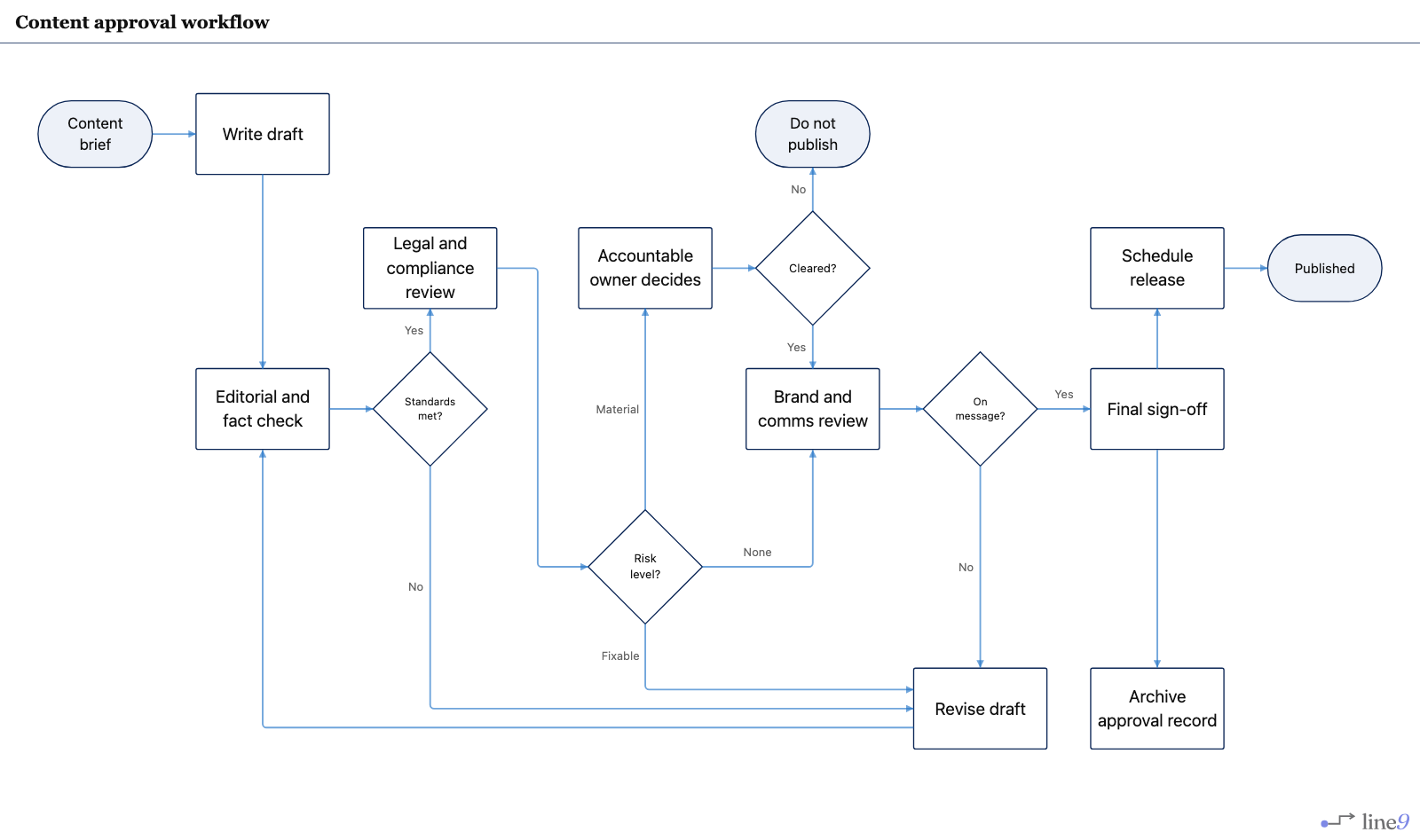 FlowchartContent approval
Editorial, legal and brand gates — including the path where a piece never ships at all.
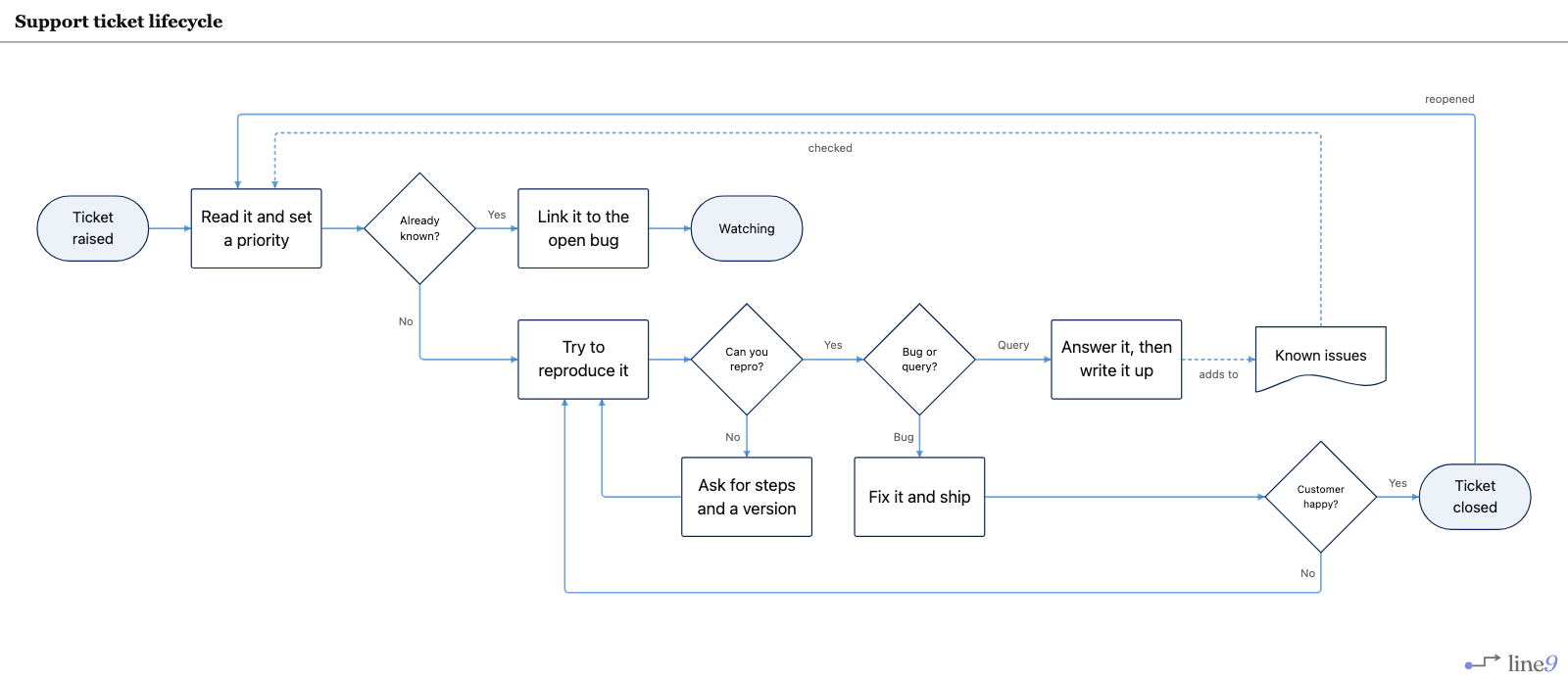 FlowchartSupport ticket
Triage, known-issue match, reproduce, then answer or fix — and a path back if it reopens.
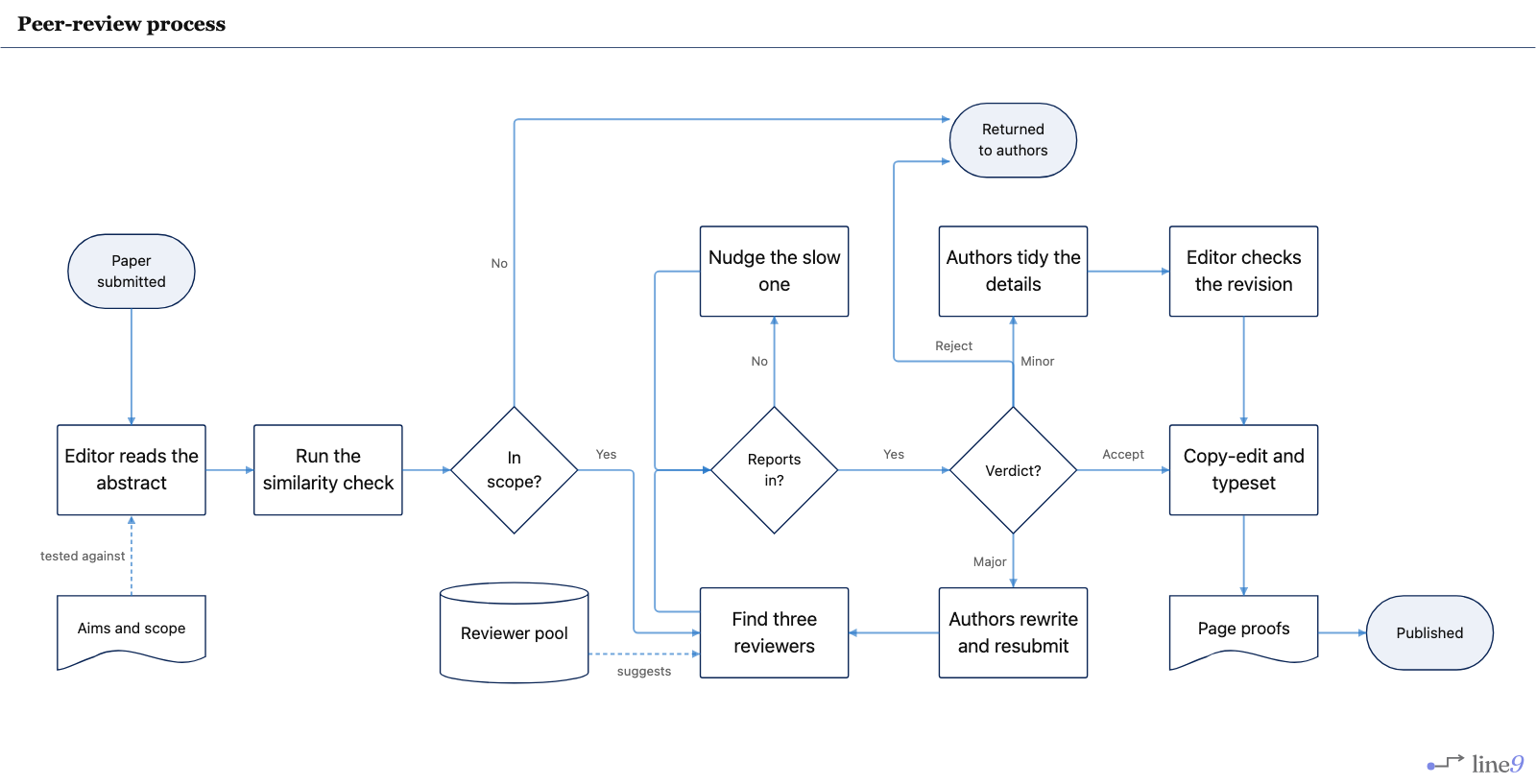 FlowchartPeer review
From submission to print, including desk reject, delayed reports, and both kinds of revision.
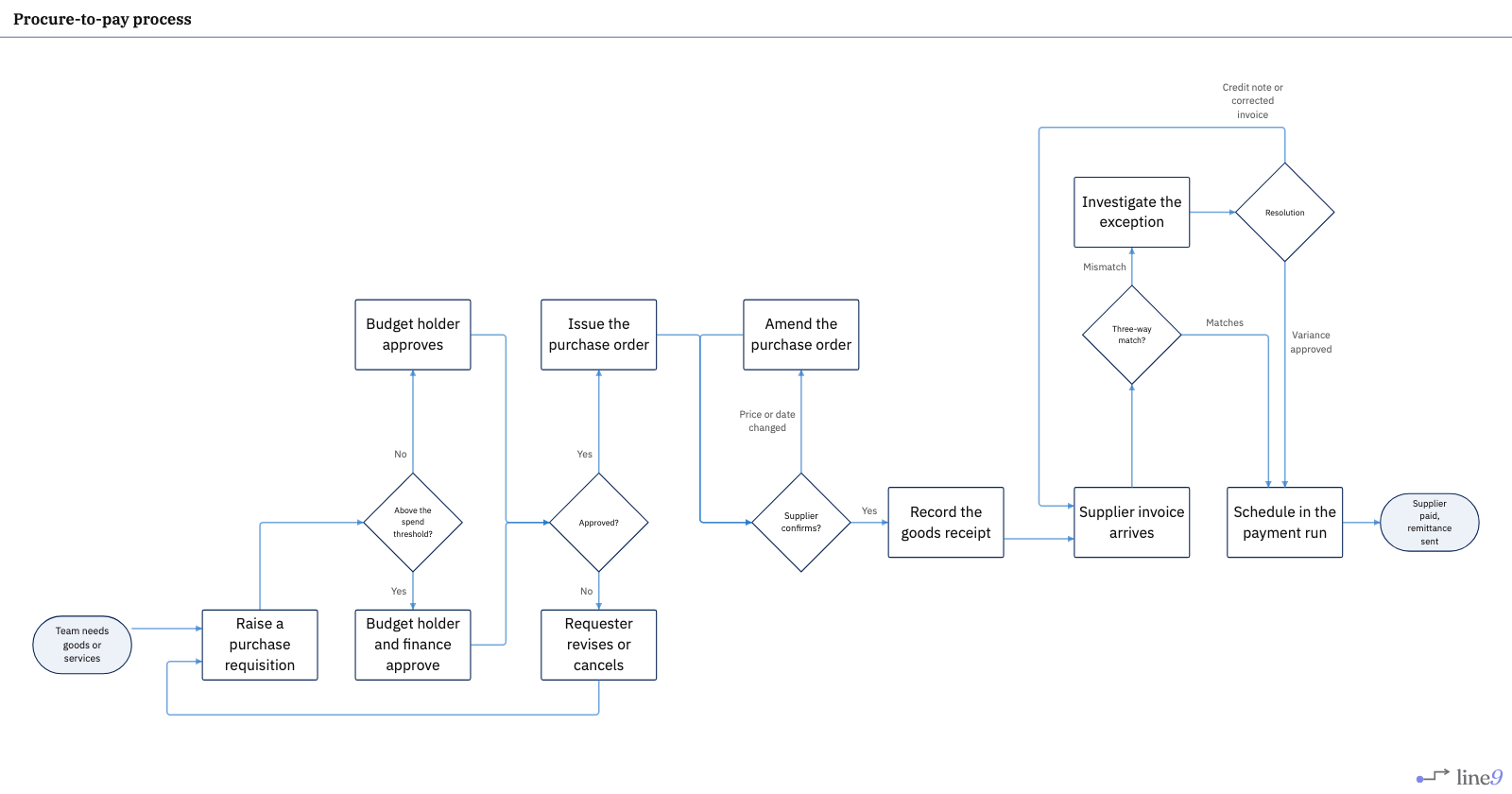 FlowchartProcure-to-pay
From purchase request to supplier payment, with the three-way match in between.
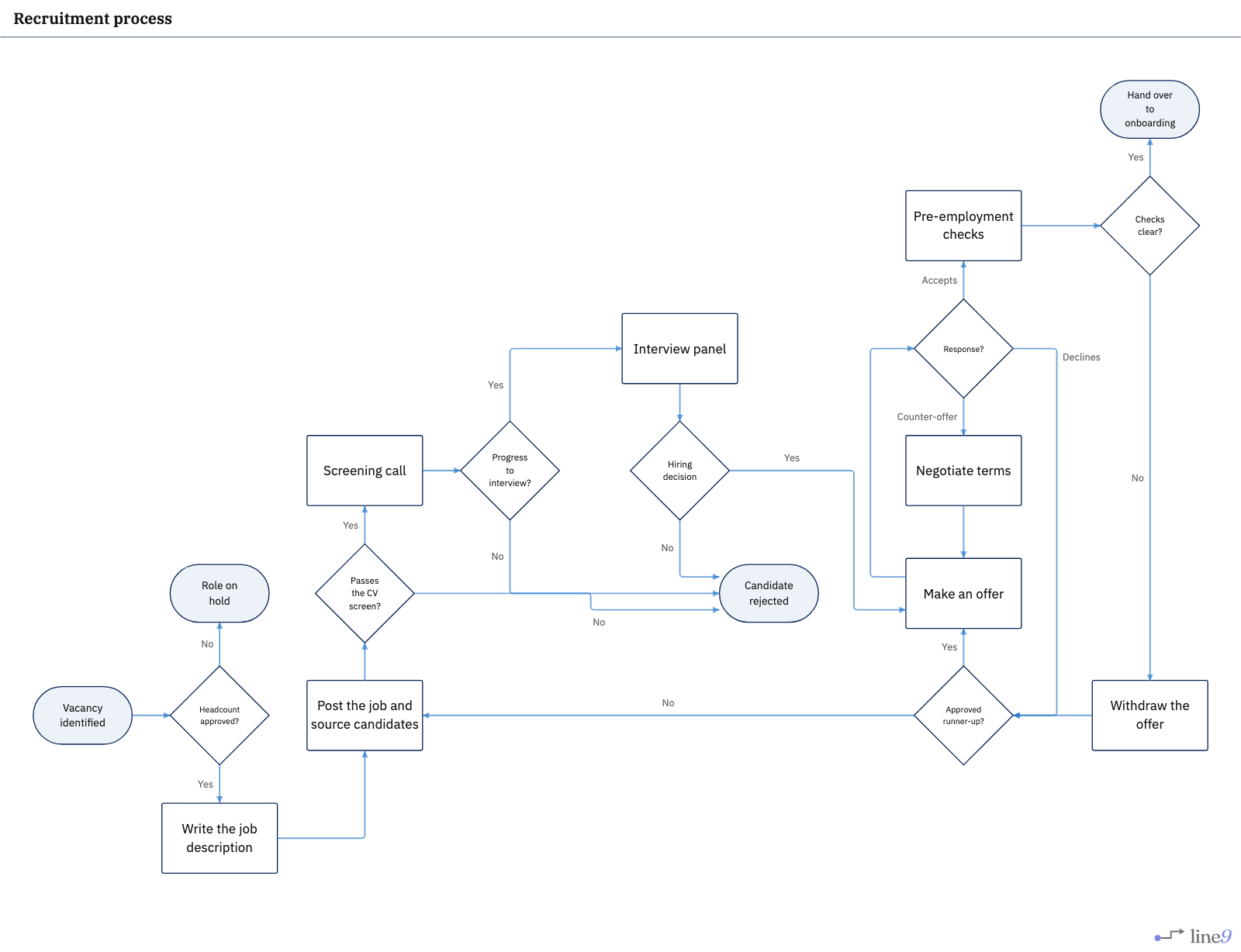 FlowchartRecruitment
From an approved vacancy to onboarding, with rejection possible at every stage.
Architecture
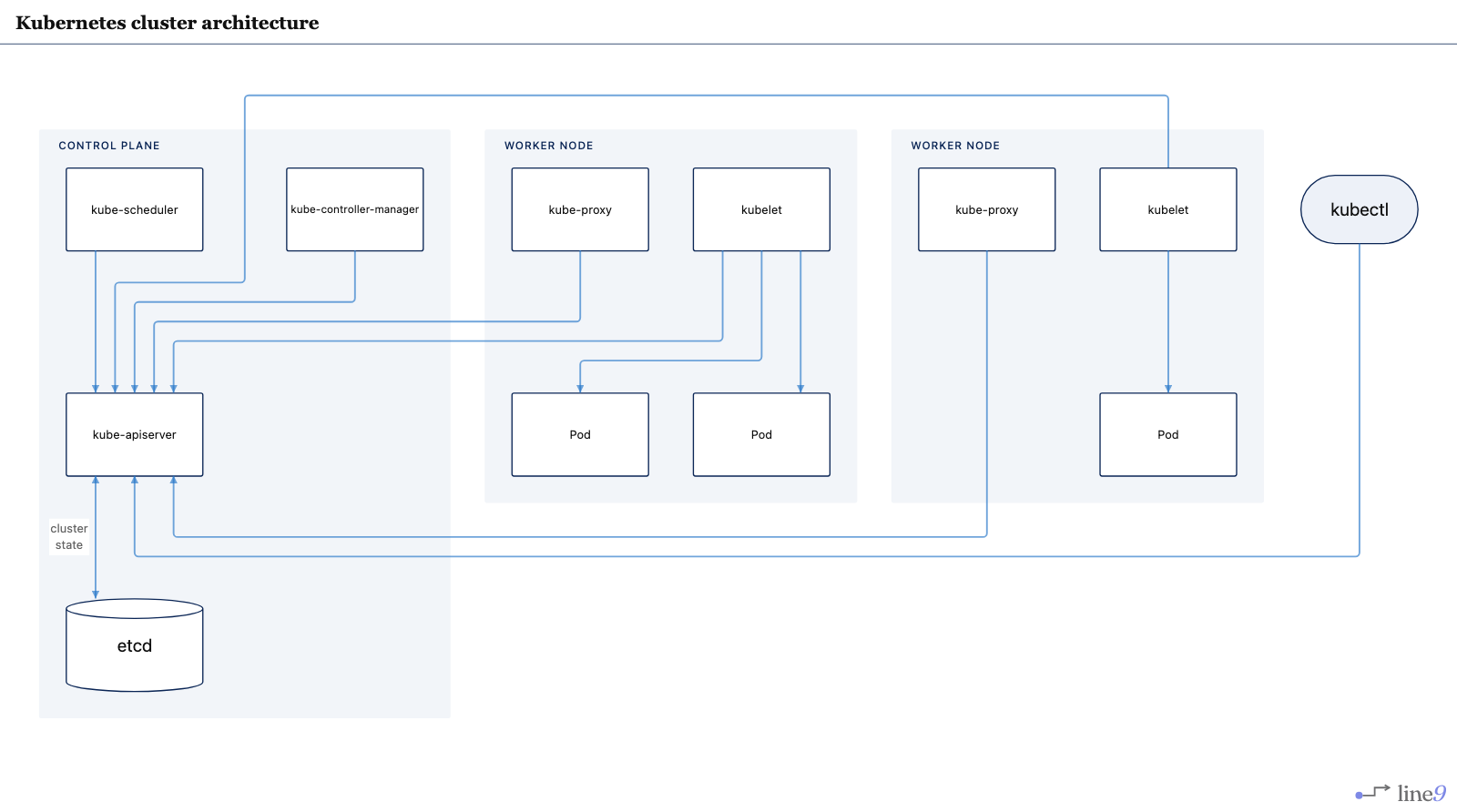 FlowchartKubernetes architecture
Control plane, worker nodes and pods, wired through the one component that reaches etcd.
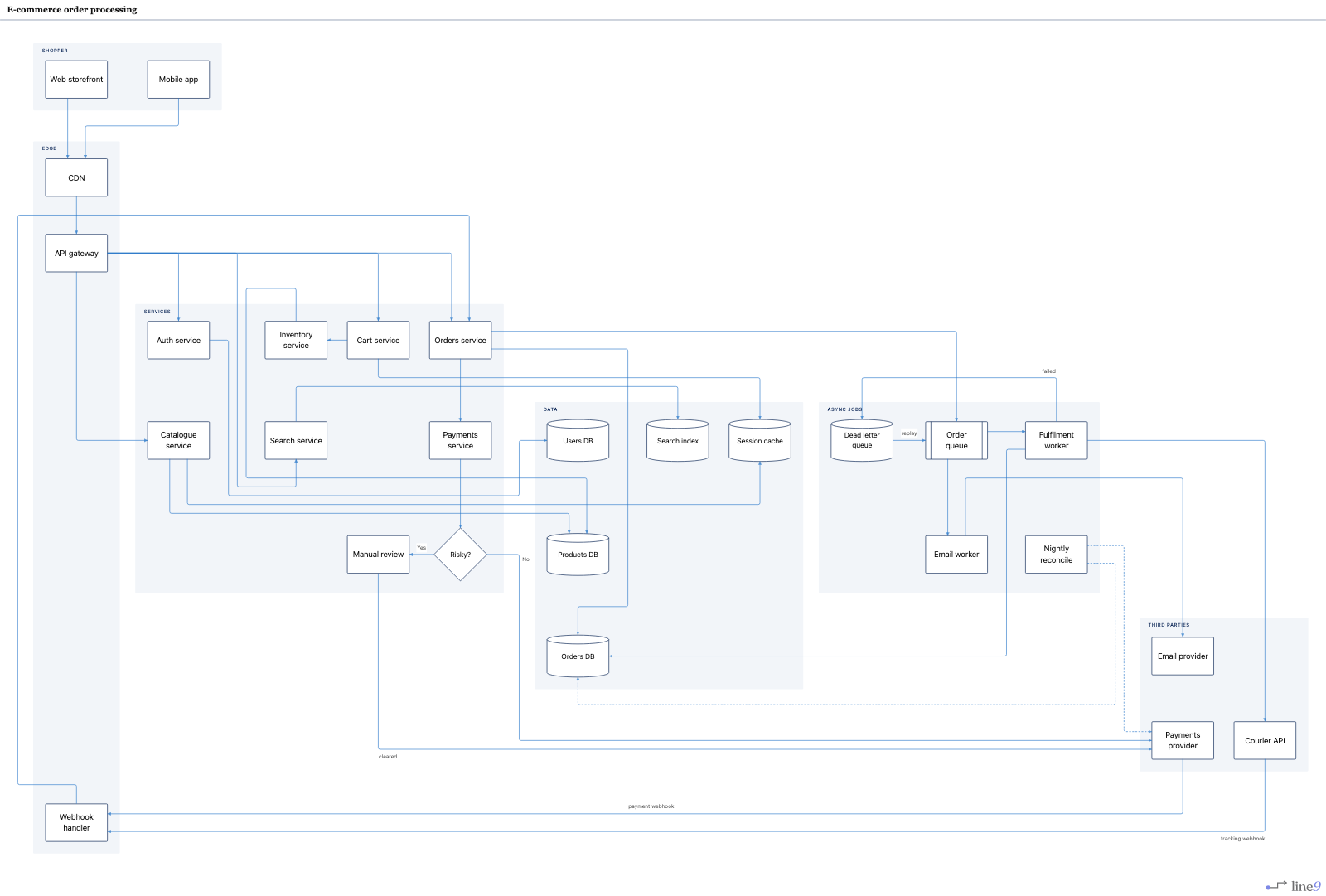 FlowchartE-commerce orders
Storefront to fulfilment, including fraud review, webhooks, and the dead-letter path.
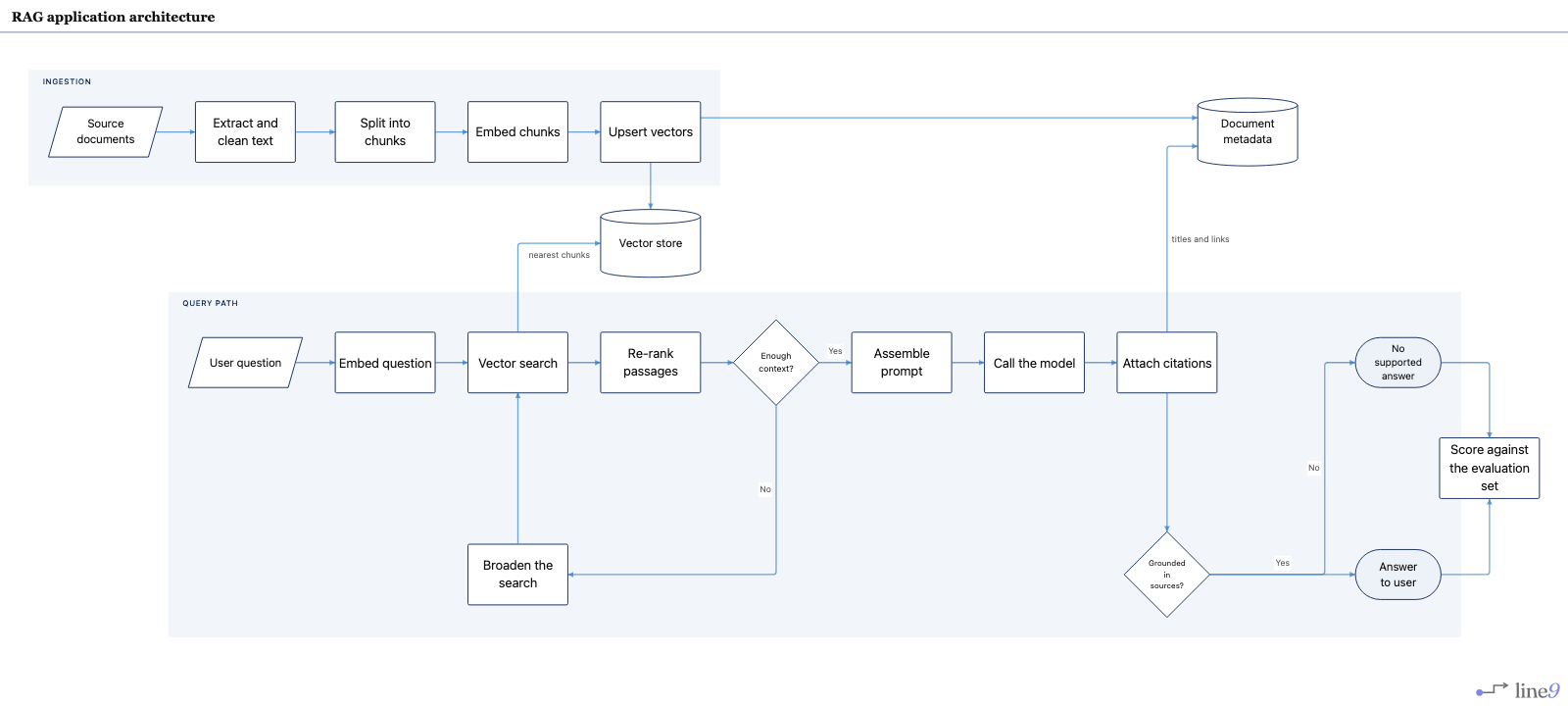 FlowchartRAG architecture
Offline ingestion and the online question path, meeting at the vector store.
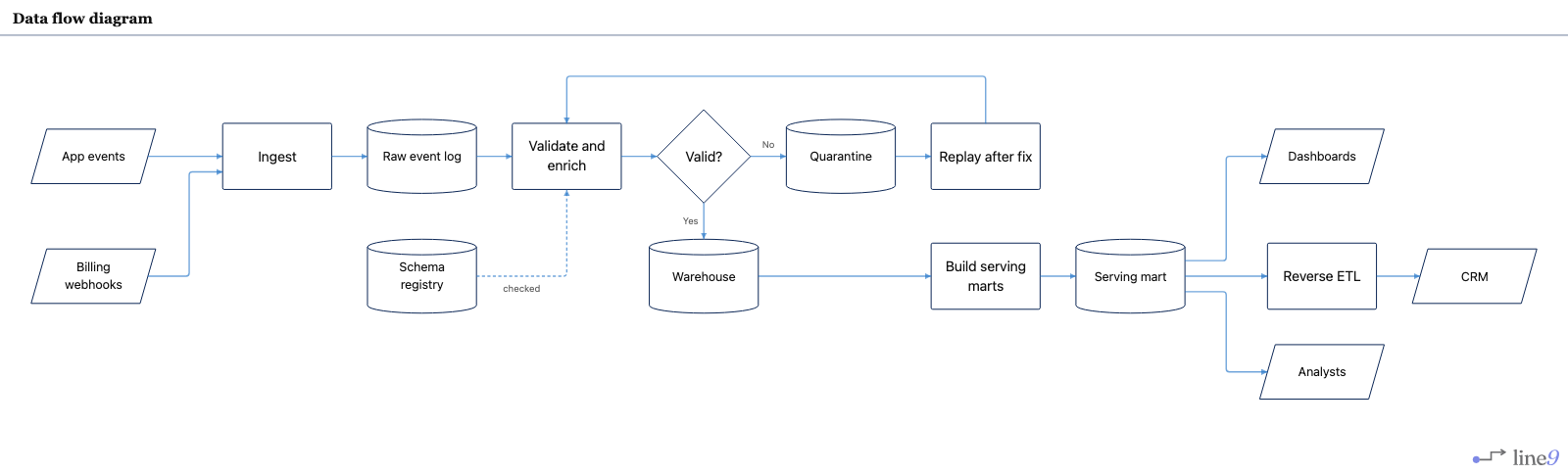 FlowchartData flow
Sources into stores and marts, with a quarantine loop for events that fail validation.
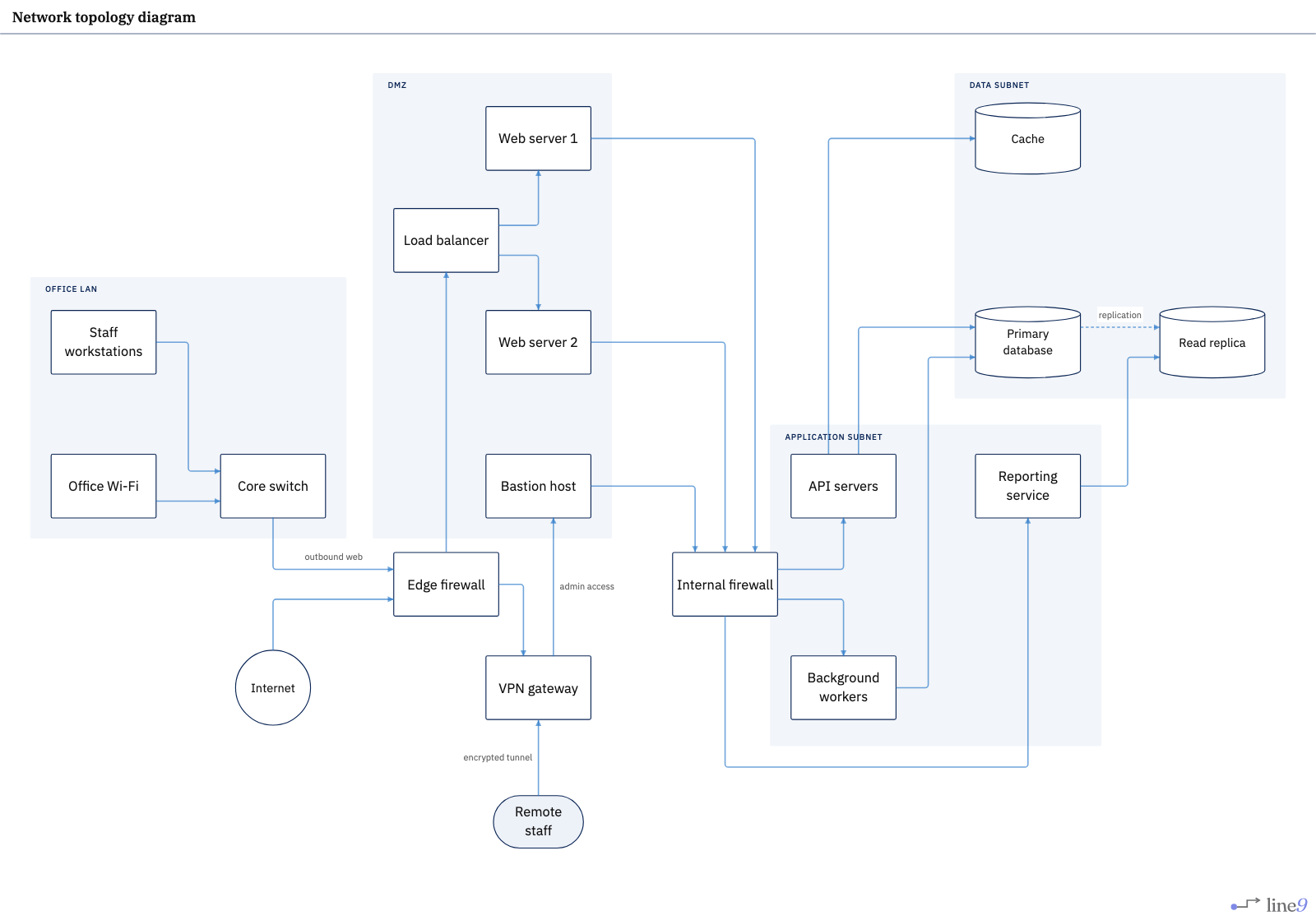 FlowchartNetwork topology
Internet to database through two firewalls, with office and remote access.
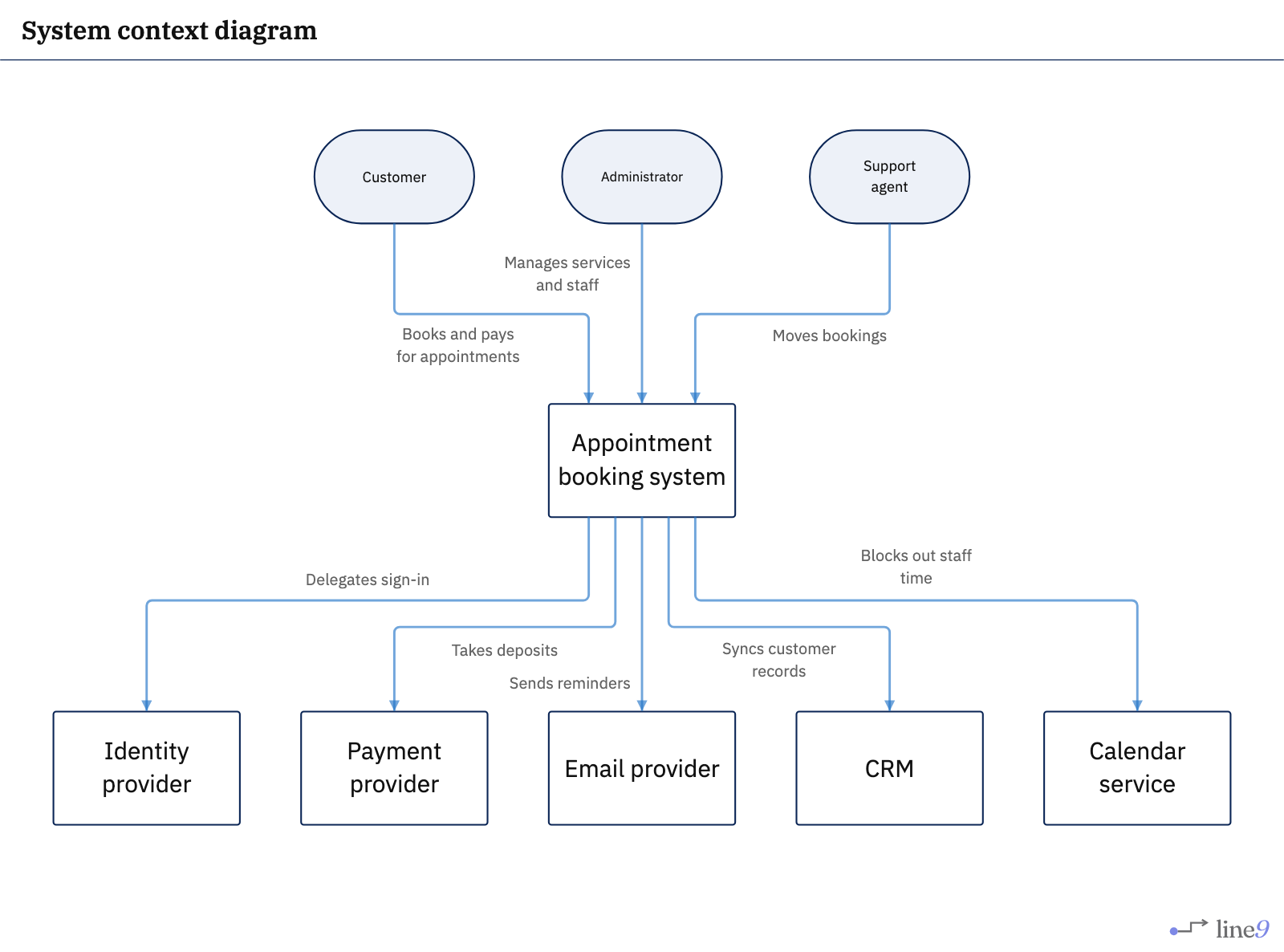 FlowchartSystem context
One system in the middle, its users above and the services it relies on below.
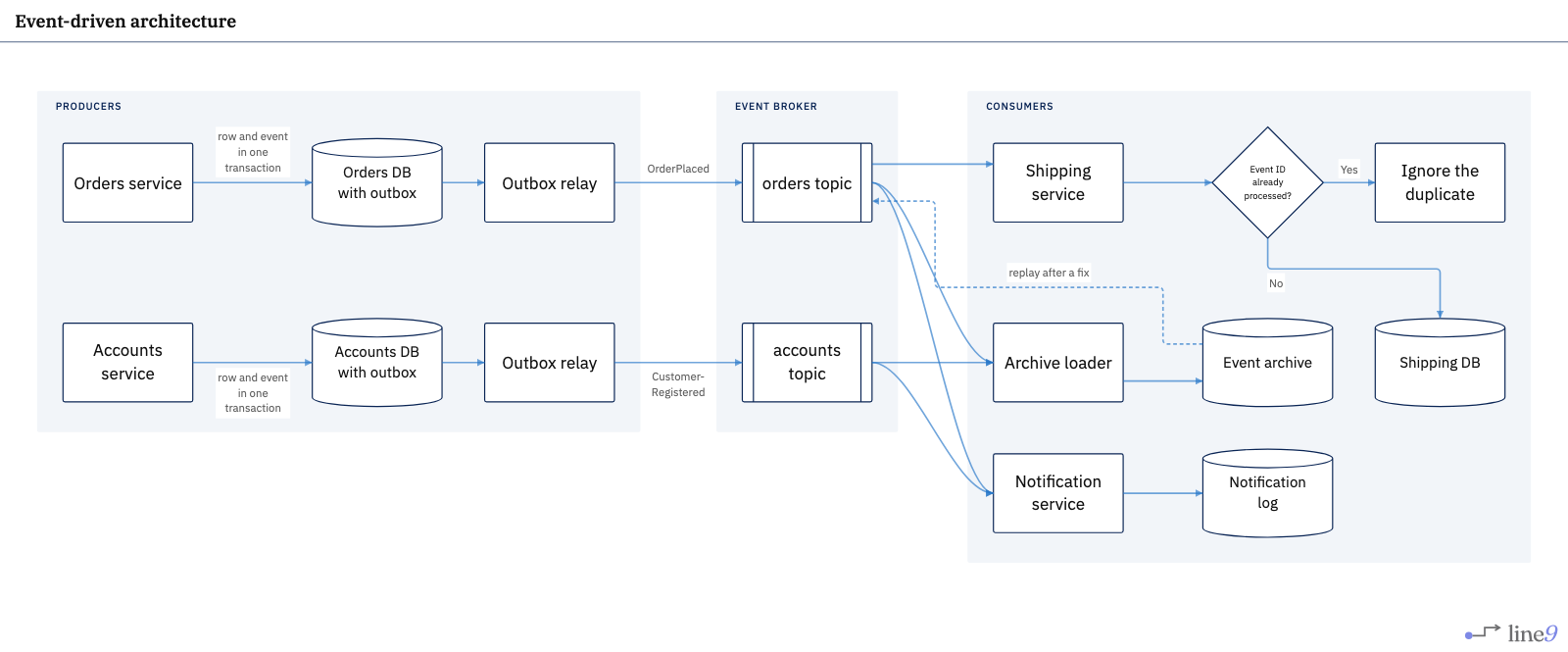 FlowchartEvent-driven architecture
Producers publish through an outbox; consumers read topics and skip duplicates.
Product and service design
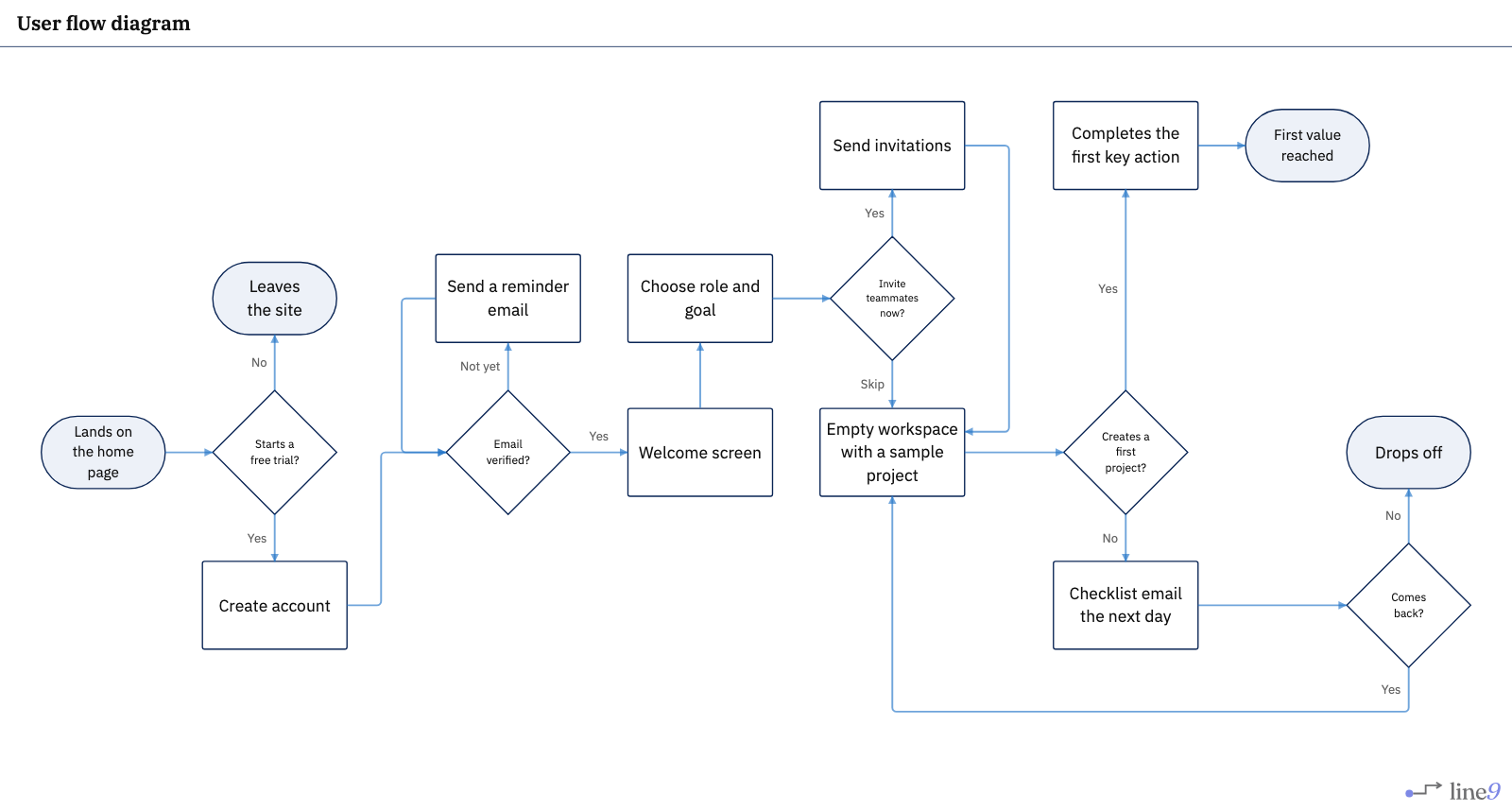
Healthcare and research
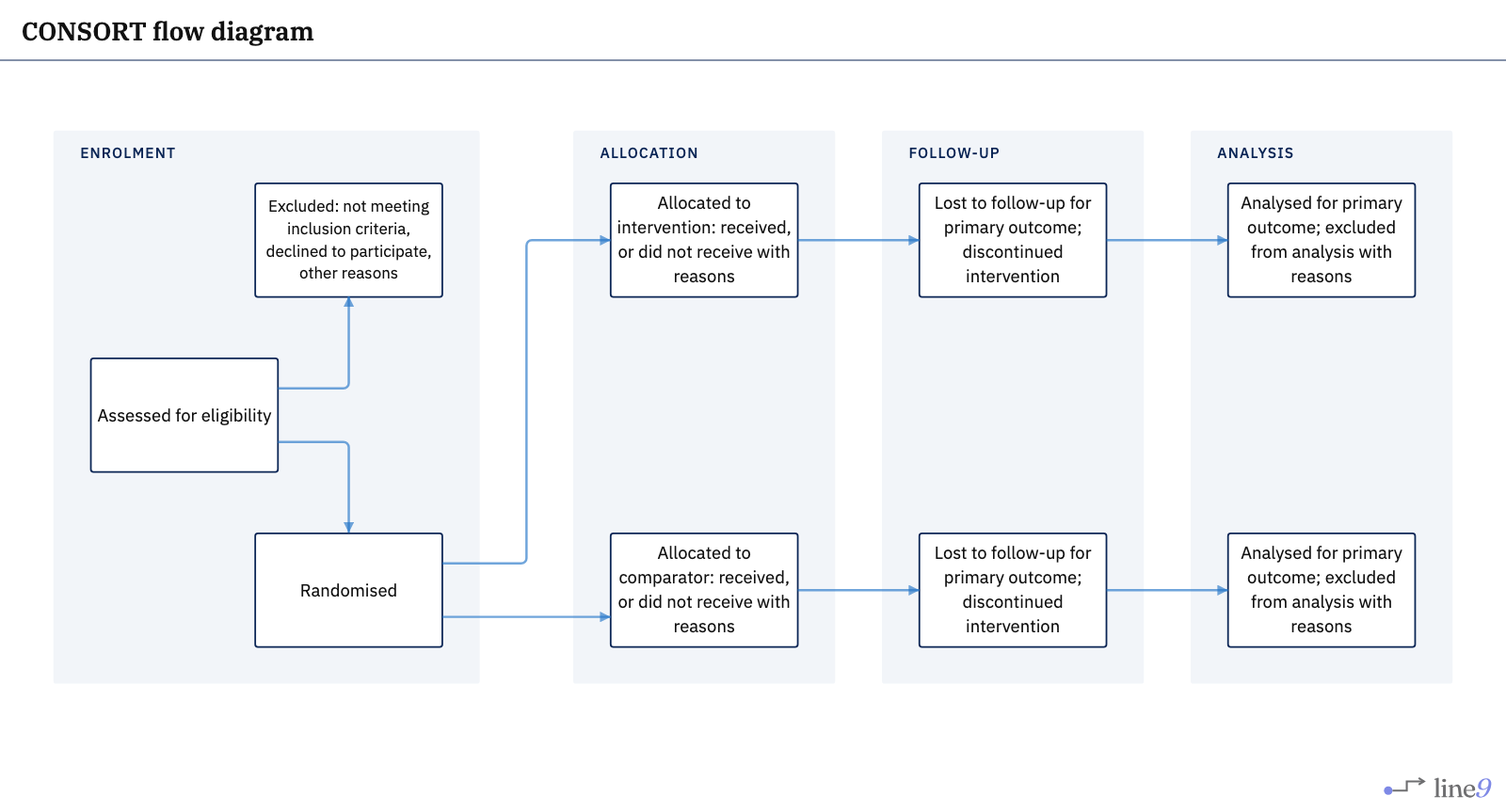
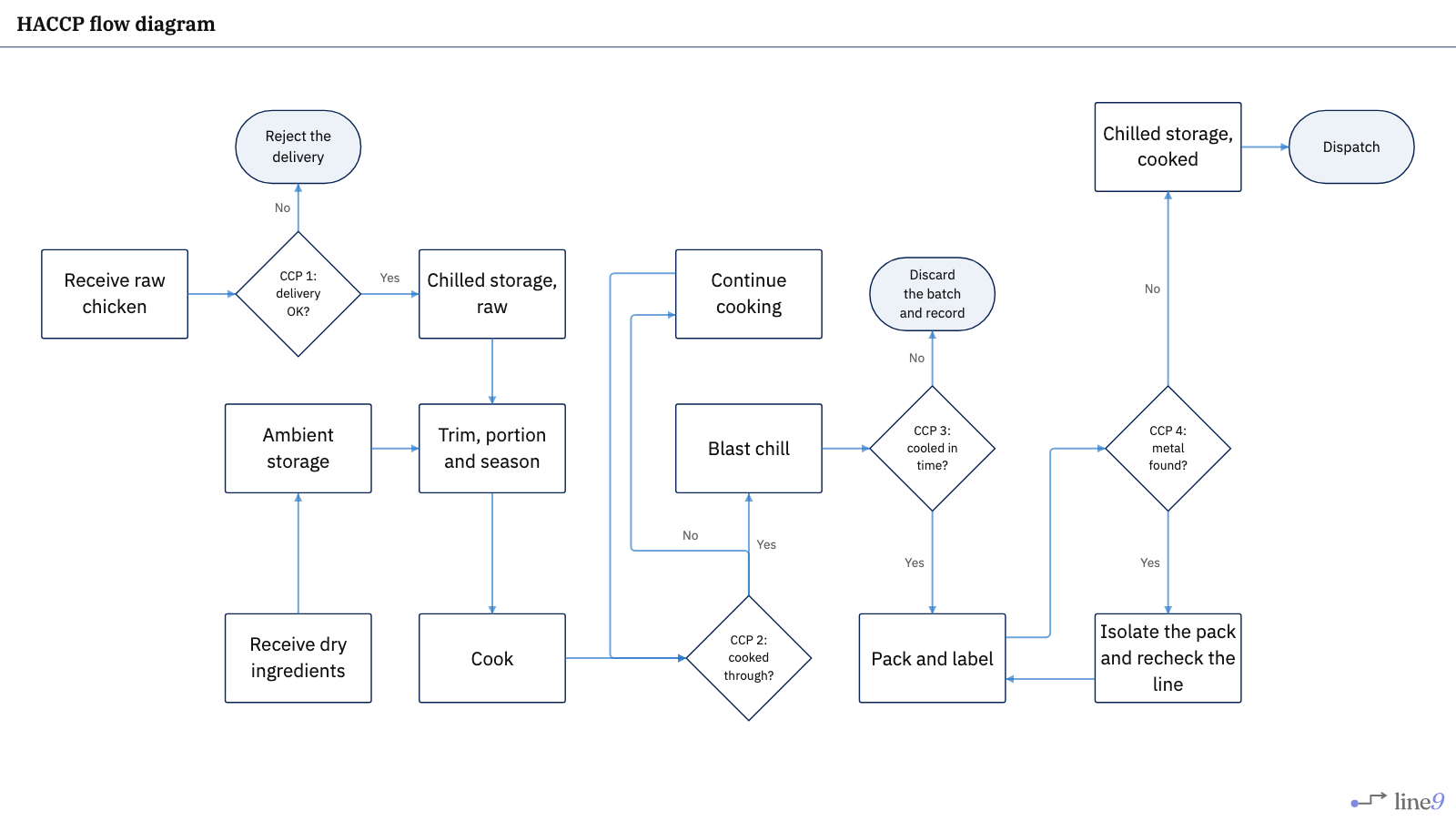
Quality and manufacturing
Layout
When a flowchart will not sit still, the search is usually a layout problem — align, order, position, straight arrows. The first of those:
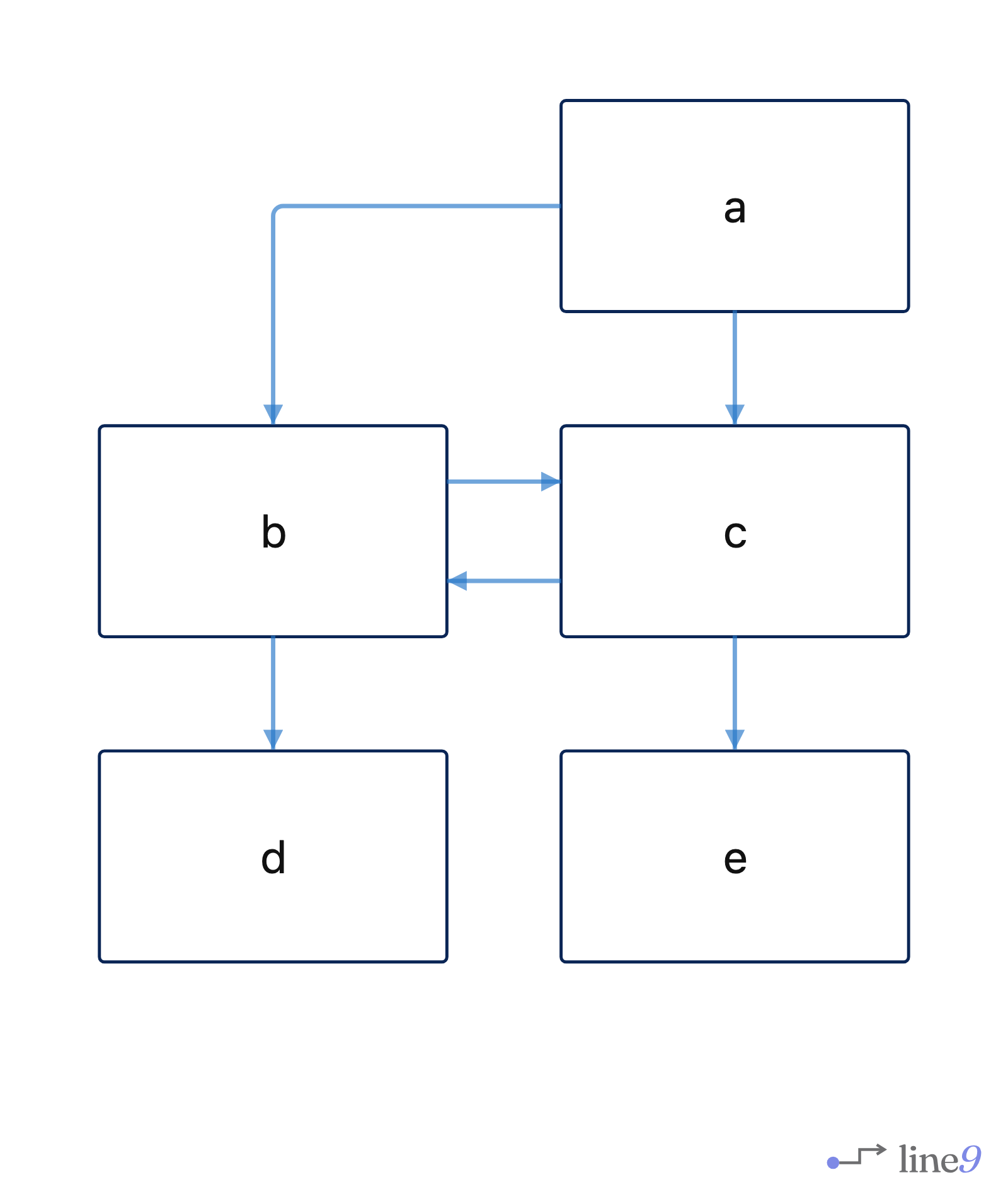
b and c on one row — a case stock Mermaid has not solved since 2016.
Try your own
Paste any Mermaid flowchart into the free online editor — no account required. Prefer the terminal? Install the line9 CLI (personal use free). For how Line9 differs from the stock online editor, read Line9 vs mermaid.live.